> For the complete documentation index, see [llms.txt](https://docs.vdo.ninja/llms.txt). Markdown versions of documentation pages are available by appending `.md` to page URLs; this page is available as [Markdown](https://docs.vdo.ninja/guides/handling-guest-disconnects-and-connection-recovery.md).
# Handling Guest Disconnects and Connection Recovery
Practical playbook for guest disconnects, retry behavior, and fallback strategies
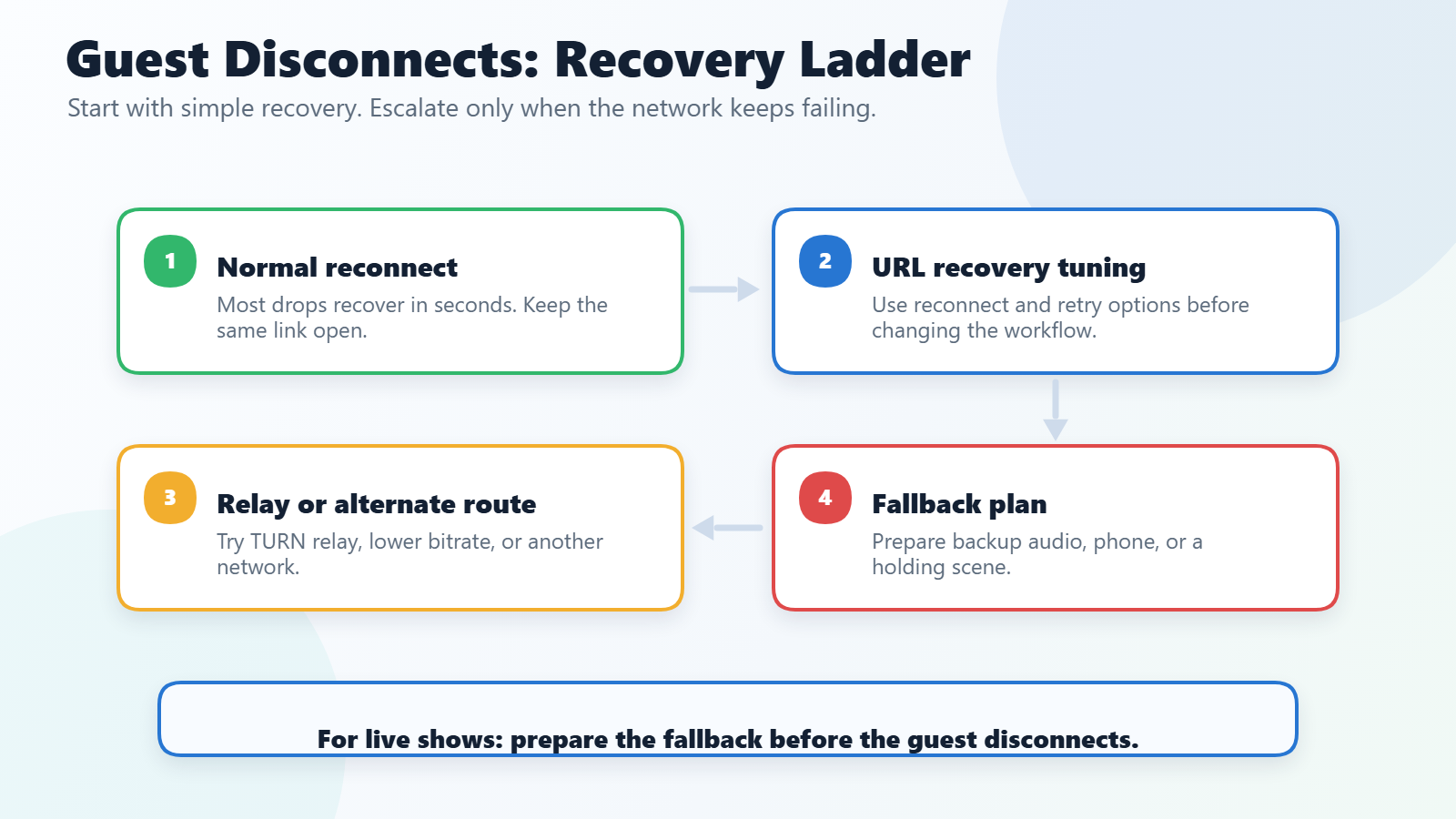
When guests randomly disconnect, freeze, or reconnect in loops, there is rarely one single fix. This guide gives a layered approach so you can choose the least disruptive option first, then escalate only when needed.
Start with reconnect and retry options, then try relay, Meshcast, WHIP/WHEP, or live-show fallbacks when needed.
## Fast checklist before going live
1. Have guests use wired Ethernet where possible.
2. Ask guests on unstable links to test Chrome and Firefox ahead of time.
3. Keep a fallback path ready:
* P2P first
* Meshcast/WHIP+WHEP fallback
* Mix-minus patching for critical audio continuity
## Option 1: Reconnect and retry
VDO.Ninja attempts to reconnect automatically. Keep the guest link open after a brief interruption.
For a view link that needs to keep checking for a missing stream, use [`&retry=10`](/advanced-settings/settings-parameters/and-retry.md) to check every 10 seconds. `&retrytimeout=5000` sets the minimum wait before retrying a lost stream; 5000 ms is the default and minimum.
## Option 2: Browser and network remediations
* Switch guest browser (Chrome <-> Firefox) for problematic links.
* Disable VPN/proxy/security middleboxes where possible.
* Prefer Ethernet over Wi-Fi; avoid double-NAT and overloaded consumer routers.
* If direct P2P is consistently failing, test TURN path reliability using [`&relay`](/advanced-settings/turn-and-stun-parameters/and-relay.md).
## Option 3: Meshcast or WHIP/WHEP fallback
If room topology is large or network quality is inconsistent:
* Publish through Meshcast / WHIP and distribute WHEP playback where appropriate.
* Use `&whepshare=` (+ optional `&whepsharetoken=`) for external WHEP sources.
* Keep P2P for low-latency workflows, but use WHIP/WHEP paths when consistency is more important than absolute lowest latency.
## Option 4: Director operational fallback
When a specific guest-to-guest P2P edge fails during a live show:
* Ask the publisher to speak, click **Refresh** in **Mesh Network Debug**, and inspect the separate publisher -> listener arrow. Orange can identify a one-way RTP stall even while ICE remains connected.
* Select the affected arrow and use **Restart This ICE Path** before using guest-wide recovery actions.
* For one-way audio, prefer the listener's per-guest **Mix** control over the bidirectional **Patch via Mix-Minus** edge action. Both require an existing director outbound audio sender and can duplicate audio if the direct path recovers.
* Use **Restart All ICE Paths**, **Refresh Video**, **Refresh Mic**, or **Refresh Guest Media + ICE** when broader per-guest recovery is needed.
* If Mesh Network Debug confirms that a guest's primary WHIP publisher is restartable, use **Restart Primary WHIP**. If only this director's WHEP playback leg failed, use **Reconnect Local WHEP** instead.
See [Guest Audio Recovery and Mesh Debug](/guides/mesh-network-debug.md) for the directional health indicators, targeted ICE restart, mix-minus fallback, and safe operating sequence.
## Broadcast-mode resiliency pattern
For larger productions:
* Use broadcast-oriented workflows so not every guest must maintain every P2P edge.
* Keep a dedicated fallback scene/source path in OBS for temporary degraded guests.
* Combine with retry/reload controls for unattended overlays:
* `&retry`
* `&retrytimeout=5000`
* `&autoreload` / `&autoreload24`
## Example link templates
* Director:
* `https://vdo.ninja/?director=ROOM`
* Guest:
* `https://vdo.ninja/?room=ROOM&push=GUESTID`
* Viewer/Scene:
* `https://vdo.ninja/?scene&room=ROOM&retry&retrytimeout=5000`
## Related
* [Primary and Backup Guests with `&scene` and `&slots=1`](/guides/primary-and-backup-guests-with-scene-and-slots.md)
* [Mesh Network Debug](/guides/mesh-network-debug.md)
* [`&pendingicettl`](/advanced-settings/turn-and-stun-parameters/and-pendingicettl.md)
* [Packet Loss](/common-errors-and-known-issues/packet-loss.md)
---
# Agent Instructions
This documentation is published with GitBook. GitBook is the documentation platform designed so that both humans and AI agents can read, navigate, and reason over technical content effectively. Learn more at gitbook.com.
## Querying This Documentation
If you need additional information that is not directly available in this page, you can query the documentation by asking a question.
Perform an HTTP GET request on the following URL with the `ask` and `goal` query parameters:
```
GET https://docs.vdo.ninja/guides/handling-guest-disconnects-and-connection-recovery.md?ask=&goal=
```
`ask` is the immediate question: it should be specific, self-contained, and written in natural language.
`goal` is what the user is ultimately trying to achieve, the reason they need the answer. Sharing it helps GitBook give you a better, more relevant answer. A goal is most helpful when it describes the outcome the user wants rather than restating the question. For example, with `ask=how do I create an API token`, a goal like `automate deployments from our CI pipeline` lets GitBook tailor the answer to that use case.
The response will contain a direct answer to the question and relevant excerpts and sources from the documentation.
Use this mechanism when the answer is not explicitly present in the current page, you need clarification or additional context, or you want to retrieve related documentation sections.